TL;DR
- 82% of shoppers said they're more likely to trust a site that prominently displays a third-party verified trust badge.
- Earned trust badges, backed by real verification and continuous monitoring, carry far more weight than decorative graphics any merchant can paste onto a page.
- The certifications that most increase purchase likelihood answer shoppers' two loudest concerns: data security (51%) and business legitimacy (50%).
- 74% of shoppers say that seeing seeing the TrustedSite badge on an unfamiliar site would make them more likely to complete a purchase.
Most shoppers decide whether they trust your store in seconds, long before they read a word about your products. On an unfamiliar site, that snap judgment is rarely in your favor. In our consumer trust research, 96% of shoppers told us they were concerned about sharing personal information on sites they had never heard of. Trust badges are one of the few things you can put on a page to start closing that gap.
But not all badges are equal, and in 2026 the difference matters more than ever. This guide covers what trust badges are, why they work, the types worth displaying, the ones that actually move shoppers, and how to add a verified badge to your site. Whether you run a small Shopify store or lead growth at a mid-market brand, the goal is the same: turn a hesitant first-time visitor into a customer.
What is a trust badge?
A trust badge is a small visual indicator displayed on a website that signals the site is safe, legitimate, or verified by a third party. Also called trust seals or trustmarks, trust badges appear at checkout, in footers, and near forms: a padlock icon, a security seal, a money-back guarantee mark, a payment logo.
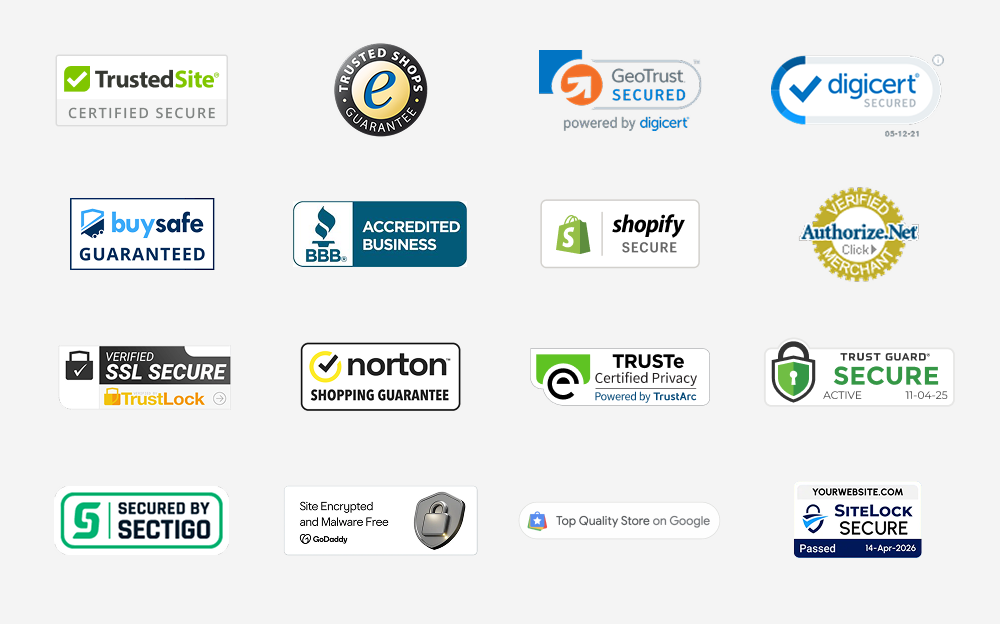
Common examples include the TrustedSite Certified Secure badge, the DigiCert site seal, the BBB Accredited Business seal, the Norton Shopping Guarantee mark, Google's Top Quality Store badge, and payment marks from Visa, Mastercard, and PayPal.
The idea is simple. Shoppers can't inspect your servers, call your references, or verify your business license. So they look for shortcuts that suggest a site is trustworthy. A badge is one of those shortcuts. It says, in a glance, that something or someone has checked this site out.
The catch is that the word "badge" covers two very different things. Some badges are decorative graphics any merchant can paste onto a page with no verification behind them. Others are earned: backed by a real certification, continuous monitoring, and the ability to click through and confirm what was verified. That distinction runs through the rest of this guide.
Why trust badges work
Trust badges work because they answer the questions shoppers are quietly asking before they hand over a card number, share their personal information, or decide if your business is worth working with. Our research keeps surfacing the same anxieties, and badges map directly onto them.
Start with the scale of the problem. Across 50 studies analyzed by the Baymard Institute, the average cart abandonment rate is 70.22%. Trust is a meaningful slice of that: Baymard found that 19% of US shoppers have abandoned an order because they didn't trust the site with their credit card information. TrustedSite's 2026 State of Ecommerce Trust survey of 1,295 US consumers puts the behavior in even starker terms. 89% of online shoppers said they had abandoned at least one purchase over a trust or security concern we asked about. Only 11% said they never had. Hesitation at checkout is the default, and a badge is a way to interrupt it.
The concern is sharpest where you need it most: with new visitors. When we asked shoppers what makes them suspect an unfamiliar site might be fraudulent, 40% pointed to a lack of third-party trust indicators like certifications, badges, or logos. About 4 in 10 shoppers read a missing badge as a possible red flag. The absence of a signal is a signal itself.
And badges deliver. In TrustedSite's 2026 survey, 82% of shoppers said they are more likely to trust an unfamiliar site that prominently displays a third-party verified trust badge than one that does not. That figure has held steady across our last two surveys, which tells us this is stable shopper behavior rather than a passing trend.
AI is changing the trust landscape
Here is what changed recently. For years, shoppers used a rough heuristic to judge a new site: if it looks professional, it's probably real. AI broke that shortcut.
In 2026, 88% of shoppers said they were concerned about the misuse of AI in online shopping, up slightly from 87% in 2024. But the headline number undersells it. When we asked about specific AI-driven threats for the first time, concern jumped past 90% every time:
- 94% are concerned about fake businesses created with AI-generated content.
- 93% are concerned about AI-generated phishing emails impersonating retailers.
- 91% are concerned about fake product reviews written by AI.
AI now lets bad actors fake legitimacy at scale: convincing storefronts, plausible reviews, polished emails. A clean, professional-looking site no longer reassures a shopper the way it once did, because they know a scammer can produce one in an afternoon. So they fall back on harder questions. Have I heard of this business? Can I verify it? This is exactly where an earned badge does work that good design alone cannot.
"As AI reshapes online shopping, trust has become more important than ever. Consumers are navigating a landscape where it's harder to tell what's real, and they're looking for credible signals before they buy. Earned, verified trust gives businesses a way to stand out and gives shoppers the confidence to complete their purchase." — Lisa Dowling, CEO, TrustedSite
The main types of trust badges
Trust badges fall into a handful of categories, each addressing a different shopper concern. Most stores use more than one. Here is how they break down.
Security and malware badges
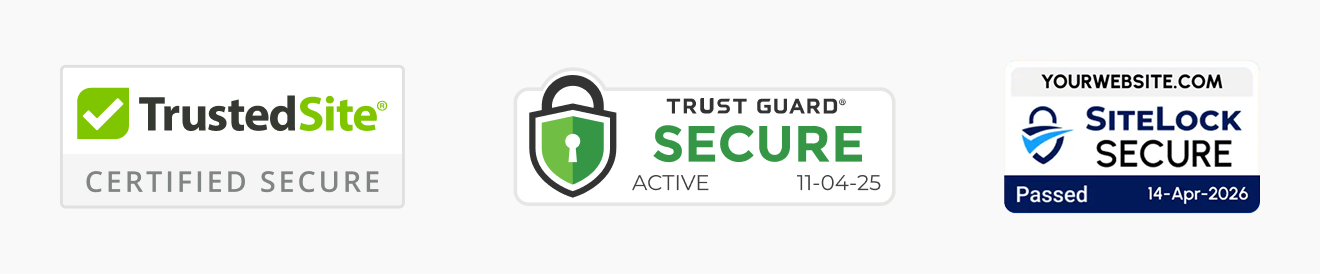
These signal that a site has been scanned and is free of known security threats like malware, phishing, or malicious links. TrustedSite's Certified Secure is the best-known example: it's earned through automated scanning and third-party threat intelligence, and the badge comes down if the site stops passing. Badges like this address the most basic question a shopper has: is it safe to even be on this page? When backed by real scanning, they carry weight. When they're a static graphic, they don't.
SSL and data encryption badges
These indicate that data passed between the shopper and the site is encrypted in transit, typically via SSL/TLS. The browser padlock is the most familiar version, and certificate authorities like DigiCert and Sectigo offer site seals merchants can display once a certificate is issued. A dedicated Data Protection badge goes further by surfacing that encryption visibly at the moments shoppers worry about it, like a checkout or a form. SSL seals answer one important question, but only one: is my data encrypted? They say nothing about whether the business behind the site is real.
Business legitimacy and identity badges

These verify that real, contactable people stand behind a business. The BBB Accredited Business seal is a familiar example, and TrustedSite's Verified Business certification confirms details like a verified email, phone number, or physical address. Given that business legitimacy is the number one reason shoppers abandon carts in 2026 (more on that below), this is one of the most valuable categories a new store can display.
Payment and checkout badges

Payment logos (Visa, Mastercard, PayPal, Apple Pay) and secure-checkout marks reassure shoppers at the point of sale. They lean on the credibility of well-known payment brands. They're useful but limited, since shoppers already expect them and they don't speak to the legitimacy of the merchant itself.
Reviews and reputation badges
These confirm that the reviews on a site come from a vetted, authentic platform rather than being written by the merchant, or worse, generated by AI. Examples include the Google Customer Reviews badge and badges from review platforms like Trustpilot, ResellerRatings, and Reviews.io. With 91% of shoppers concerned about fake AI-written reviews in 2026, a Trusted Reviews badge tying your reviews to a recognized third party carries more weight than it used to.
Guarantee and satisfaction badges
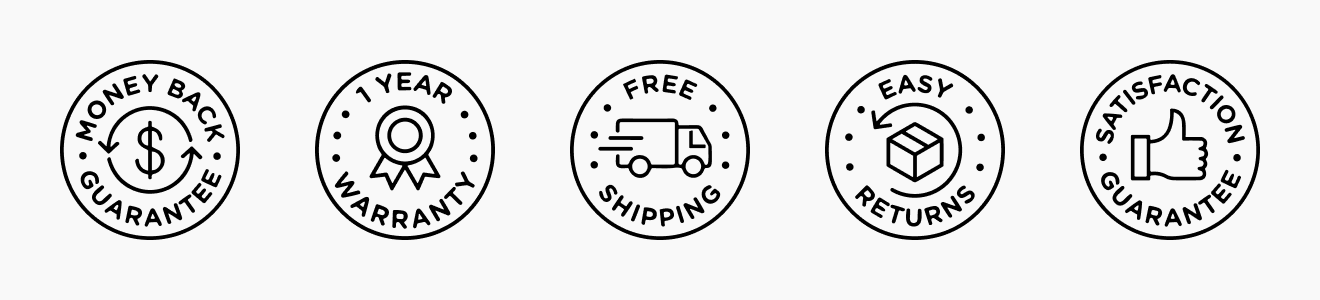
Money-back guarantees, satisfaction marks, free-shipping icons, and order-reliability indicators reduce the perceived risk of buying. They tell shoppers that if something goes wrong, there's a path to making it right. Most of these are homemade, decorative badges, which is fine for what they are. Just link them somewhere useful, like your returns or shipping policy, so the claim is backed by something a shopper can read.
Privacy and compliance badges
This group signals that a company's data handling has been reviewed against a recognized standard. Privacy seals like TRUSTe (now operated by TrustArc) cover privacy practices, while compliance badges signal audited frameworks like SOC 2 Type II, ISO 27001, or HIPAA. Trust management platforms like Vanta and Drata have made these common by letting companies embed badges that link to a live trust center where prospects can review reports and controls.
These matter most for software, SaaS, and B2B companies, where the product runs on customer data and security review happens during the buying process rather than at a checkout. The same earned-vs-decorative logic applies here: a compliance badge that clicks through to a current report or trust center carries weight. A static SOC 2 logo with nothing behind it is just a graphic.
Earned badges vs. decorative badges
This is the most important distinction in the whole category, and it's the one most guides skip.
A decorative badge is a graphic. A merchant downloads it, uploads it to their site, and that's it. Nothing was verified. Nothing is monitored. The badge says "secure" or "trusted" because the image file says so, not because anyone checked. Plenty of low-cost apps exist purely to add badges like this, and savvy shoppers are increasingly wise to them.
An earned badge is different. It's backed by a real certification a site has to qualify for by meeting specific standards, and it stays earned only through continuous monitoring. If the site falls out of compliance, the certification is revoked and the badge comes down. Crucially, an earned badge is clickable: a shopper can click it, open a verification page, and confirm exactly what was checked and when.
That click-to-verify step is what separates a credible signal from a sticker. In a world where AI can fake a polished storefront, the ability to independently confirm a claim is the whole point. A badge that can't be verified is just more design, and shoppers have learned not to trust design alone.
| Earned trust badges | Decorative trust badges | |
|---|---|---|
| Verification | Site must qualify by meeting specific standards | None; any merchant can display the graphic |
| Monitoring | Continuous; status is re-checked over time | None |
| Revocation | Badge comes down if the site falls out of compliance | Never; the graphic stays up regardless |
| Click-to-verify | Opens a certification page showing what was checked and when | Not clickable, or links nowhere meaningful |
| Credibility source | A recognized third party staking its name on the verification | The image file itself |
| Best for | New and growing stores that need to borrow credibility | Established brands reinforcing trust they already have, or policy callouts like free shipping |
There's a deeper way to think about this, and it comes down to whether your brand already communicates trust on its own. A major retailer with an established name might already have trust built in. Shoppers recognize them, so a decorative badge or a payment logo just confirms what they already feel, and it can work fine in that context. The badge isn't doing the heavy lifting; the brand is.
A newer or lesser-known store doesn't have that luxury. If your brand doesn't yet communicate trust on its own, a third-party trust badge from a reputable brand like TrustedSite, BBB, or Google lets you borrow credibility from a name shoppers already know, so some of that recognition transfers to you. And because these badges are clickable, visitors can see what the badge means and verify its legitimacy for themselves.
Decorative badges can still communicate useful information, like free shipping or easy returns. But they bring no external verification and borrow no credibility. If the visitor doesn't trust the site, they're unlikely to trust the claim.
The best trust badges for ecommerce in 2026
Displaying a badge is one thing. Displaying the right badges is another. Two factors decide how much work a badge does: whose name is on it, and what it verifies.
Start with the name. A badge borrows its credibility from the brand behind it, so a mark from a name shoppers already trust, like Google, TrustedSite, or BBB, does far more for an unfamiliar store than a seal from a provider nobody recognizes. An unknown badge on an unknown site just adds one more thing the shopper can't verify.
Then there's what the badge verifies. In our 2026 survey, we asked shoppers which verified statements would most increase their likelihood of buying on an unfamiliar site:
- Data Protection, that data is encrypted and kept private: 51%
- Verified Business, that key contact information has been validated: 50%
- Certified Secure, no malware, phishing, or malicious links: 44%
- Trusted Reviews, authentic and vetted reviews: 44%
Notice the pattern. The verifications that move the needle are the ones that answer shoppers' loudest concerns: data security and business legitimacy. That tracks with what actually stops sales. When we asked what has caused shoppers to abandon a purchase, business legitimacy came out as the number one reason, cited by over half of shoppers (51%). Credit card security was second at 43%.
The practical takeaway for any merchant: lead with badges from a brand shoppers recognize, and prioritize the ones that prove you're a real business and that you protect data. Those carry the most weight with the visitors you most need to convince.
How to choose and place trust badges on your site
One note before placement: badges work best on a site that doesn't trip other fraud signals. In our 2026 survey, the top things that made a site look fraudulent were too-good-to-be-true pricing (65%), typos and grammatical errors (59%), and missing contact information (46%). Clean copy, honest pricing, visible contact details, and working links clear a bar a surprising number of sites fail. With that foundation in place, a few principles for the badges themselves, drawn from what shoppers tell us and what tends to test well.
Prioritize earned over decorative. A verified, clickable badge is worth more than a stack of static graphics, and it won't backfire with the shoppers who've learned to distrust stickers.
Match the badge to the concern at each point. A security or data protection badge near forms and checkout. A business legitimacy badge where a new visitor is deciding whether you're real. A reviews badge near social proof.
Don't overload the page. A wall of badges can read as trying too hard, or even as suspicious. A few credible, verified signals beat a dozen graphics.
Keep them visible, not buried. A badge in the footer that nobody scrolls to does little. Place them where hesitation actually happens.
Make sure they're verifiable. If a shopper can click through to confirm what was checked, the badge does far more than if it just sits there.
How to add a trust badge to your website
Adding a verified trust badge takes minutes on most platforms, and you can start free.
- Create a free account. Sign up with TrustedSite and add your site. The free plan includes Certified Secure, Verified Business, and the floating trustmark.
- Install on your platform. TrustedSite offers native apps and plugins for Shopify, BigCommerce, WordPress and WooCommerce, and other major platforms, and works with nearly any site that supports custom code. See the full list of integrations.
- Earn your certifications. Certified Secure is verified through automated scanning. Verified Business takes a few minutes of confirming contact details. Additional certifications like Data Protection and Trusted Reviews unlock as you qualify.
- Place trustmarks where hesitation happens. Keep the floating trustmark site-wide, then add engagement trustmarks near checkout, forms, and login, the points where shoppers decide whether to proceed.
How TrustedSite's earned certification program works
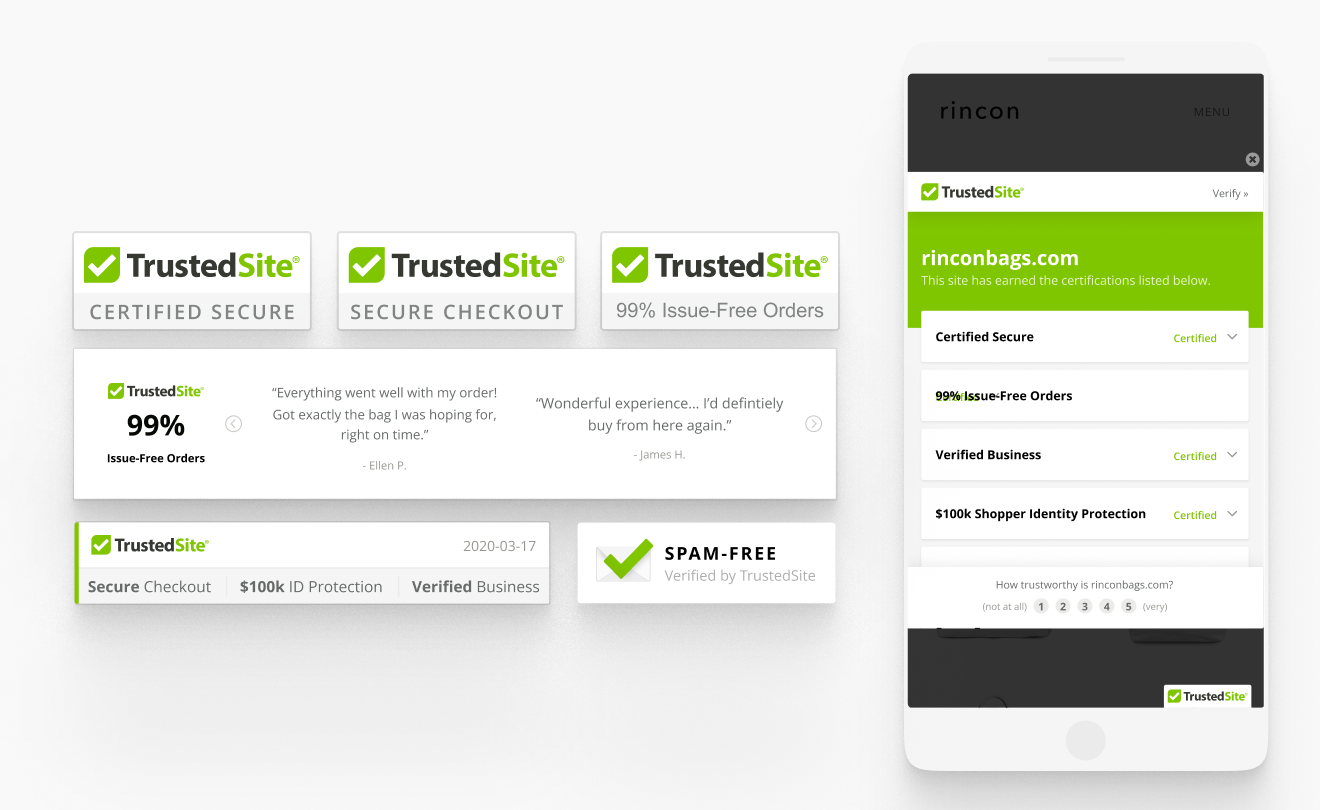
TrustedSite runs an earned certification program built around exactly the concerns above. Instead of handing out graphics, it verifies sites against specific standards, monitors them continuously, and revokes certifications when a site falls out of compliance. Each badge is clickable, opening a certification page that shows what was verified and how.
The certifications map directly onto what shoppers told us matters most:
- Certified Secure demonstrates a site is free from known security threats, verified through automated scanning and third-party threat intelligence.
- Verified Business confirms real, contactable people stand behind the store by validating contact details. This is the one that speaks to the number one cause of cart abandonment.
- Data Protection shows that shopper information is encrypted with valid SSL/TLS. This is the single most persuasive verification in our survey.
- Trusted Reviews confirms reviews come from a vetted, authentic platform.
- Issue-Free Orders, Shopper Identity Protection, and Spam-Free round out the suite, addressing reliability, identity risk, and inbox concerns.
The result is the kind of signal that holds up in 2026: a verified claim a shopper can check for themselves, rather than a graphic that says "trust me." TrustedSite trust badges appear on over 400,000 active sites and are viewed billions of times a month, so the recognition is earned. In our 2026 survey, 53% of shoppers said they already recognize the TrustedSite badge from their own shopping, and % said they'd be more likely to complete a purchase on an unfamiliar site if they saw it.
That recognition shows up in real checkouts, and the A/B tests prove it. Testing TrustedSite Certification against a control, Cariloha saw a 4.7% increase in conversions, Mountain House saw a 26.9% increase in sales, and OnTime Supplies saw a 19.7% increase in conversions.
And while trust badges do their most visible work for newer sites still building credibility, businesses of all sizes display the TrustedSite badge, including established names like SurveyMonkey, Dollar Tree, and Omaha Steaks. For brands that already have recognition, the badge communicates that trust and security are priorities worth signaling.
Trust badges that no longer exist
The trust badge landscape has shifted a lot over the years, and a few of the most recognized seals have changed hands or disappeared entirely. If you remember a badge from a decade ago and can't find it now, here's what happened to it.
- The McAfee SECURE trustmark became the TrustedSite badge. The widely recognized McAfee SECURE trustmark was operated by TrustedSite from 2013 to 2021, then transitioned to TrustedSite. The earned certification model and much of the underlying technology carried over, with TrustedSite expanding the types of certifications offered.
- The Norton Secured Seal (formerly the VeriSign seal) transitioned into the DigiCert seal. After Symantec acquired VeriSign's authentication business and DigiCert later acquired Symantec's website security unit, the familiar Norton seal was replaced by DigiCert's site seal options, including the dynamic DigiCert Smart Seal.
- The TGoogle Trusted Stores badge was discontinued. Google's original program shifted into Google Customer Reviews. Google later introduced the Top Quality Store badge. It recognizes merchants who earn an exceptional shopping-experience score, and approved businesses can display it both in Google's listings and on their own website.
The takeaway for merchants is that recognition is a moving target. A badge shoppers knew five years ago may carry a different name, a different owner, or no longer exist. What endures is the underlying signal: verification that a real, monitored business stands behind the site. That's why an earned, continuously monitored certification holds up better than a badge tied to a brand or program that may not be around in its current form a few years from now.
Trust badge FAQ
Are trust badges actually worth it?
For most stores, yes, especially newer ones. With 82% of shoppers more likely to trust a site that displays a verified badge, and 4 in 10 reading a missing badge as a red flag, a credible badge addresses concerns nearly every shopper has.
Do free trust badges work?
A free badge can absolutely work, as long as it's earned and verifiable rather than a decorative graphic. The cost matters less than whether there's real verification behind it.
How many trust badges should I display?
Enough to address your shoppers' main concerns without cluttering the page. A few verified, relevant badges outperform a wall of graphics.
Where should I put trust badges?
At the points where hesitation happens: near checkout, near forms, and where a new visitor is deciding whether you're legitimate. Visibility matters more than volume.
Are trust badges free?
Some are. TrustedSite's free plan includes Certified Secure, Verified Business, and the floating trustmark, so a store can display an earned, verifiable badge at no cost. Paid plans add more certifications, more trustmark formats, and higher visit allowances.
Do trust badges work on Shopify?
Yes. TrustedSite has a native Shopify app, along with apps and plugins for BigCommerce, WordPress, WooCommerce, Magento, and other major platforms. See the full list of integrations.
What is the most recognized trust badge?
Recognition is hard to measure across every badge, but in TrustedSite's 2026 survey, 53% of shoppers said they recognize the TrustedSite badge from their own shopping. With the badge displayed on 400,000+ active sites and viewed billions of times a month, that recognition is earned through everyday exposure.
What's the difference between an SSL badge and a trust badge?
An SSL badge confirms your data is encrypted, which answers one shopper question. A broader earned certification addresses the full set of concerns: security, legitimacy, reviews, and more across the buyer's journey.
The bottom line on trust badges in 2026
Trust is the first thing a shopper evaluates and the last thing a new store has earned. The 2026 data is clear on how to close that gap: prove you're a real business, show that data is safe, and display verification shoppers actually recognize. AI has made the old "looks legit" shortcut unreliable, which makes verifiable signals more valuable than ever.
You can start with a free, earned badge today. Add your free trust badge and give your next visitor a reason to trust you before they ever click buy.